
Ein automatischer Check-in bedeutet, dass ein Gast eine Unterkunft betreten kann, ohne dass ihn jemand empfängt, zu welcher Stunde auch immer er tatsächlich ankommt, und ohne dass Sie erreichbar sein müssen.
Die letzte Klausel ist diejenige, die zählt. Viele als automatisiert beschriebene Setups sind in Wirklichkeit nur verzögerte manuelle Arbeit: Sie funktionieren, bis etwas schiefgeht, und dann brauchen sie eine Person.
Hier erfahren Sie, welche Optionen es tatsächlich gibt, woran jede einzelne scheitert und wie Sie die richtige auswählen.
Warum es sich lohnt
Ankunftszeiten sind nicht verhandelbar. Flüge haben Verspätung. Züge werden gestrichen. Gäste landen um 1 Uhr morgens. Jeder Prozess, der einen Menschen zu einem bestimmten Zeitpunkt erfordert, wird irgendwann mit der Realität kollidieren.
Manuelle Übergabe ist Ihre Kapazitätsobergrenze. Wenn jede Ankunft die Verfügbarkeit einer Person erfordert, ist Ihr Portfolio durch die Arbeitsstunden des Personals begrenzt, nicht durch die Nachfrage. Dies ist die Einschränkung, die kleine Betriebe am Wachstum hindert.
Es eliminiert den teuersten Fehlermodus. Ein Gast, der keinen Zugang erhält, ist keine Bagatelle. Auf den meisten Plattformen kann dies eine Rückerstattung auslösen, unabhängig von Ihrer Stornierungsrichtlinie, da der Fehler bei Ihnen liegt.
Dienstleister benötigen ebenfalls Zugang. Reinigungspersonal, Wartungstechniker, Inspektoren und Makler benötigen alle Zugang zu Zeiten, die nichts mit Buchungen zu tun haben. Ein System, das nur auf die Ankunft von Gästen ausgelegt ist, bewältigt dies schlecht.
Die vier Ansätze
1. Schlüsselkästen
Ein mechanischer Kasten, der einen physischen Schlüssel enthält und mit einem geteilten Code geöffnet wird.
Gut geeignet für: Einzelobjekte, geringe Fluktuation, keine Stromversorgung oder Konnektivität und als Backup.
Scheitert bei: Codes, die sich nie ändern und unbegrenzt zirkulieren; keiner Aufzeichnung, wer ihn geöffnet hat; mechanischem Blockieren bei kaltem Wetter; Sichtbarkeit von der Straße aus; und, in mehreren europäischen Städten, der Entfernung durch die örtlichen Behörden, wenn das Gerät an öffentlichem Eigentum angebracht ist. Rom, Florenz und Mailand haben alle entsprechende Maßnahmen ergriffen.
2. Smart Locks
Ein per Tastatur, App oder Transponder bedienbares Schloss, das den Zylinder ersetzt.
Gut geeignet für: Immobilien, die Sie vollständig besitzen, bei denen Sie die Hardware ändern können und bei denen die Tür ein Standardtyp ist.
Scheitert bei: Batterien, im schlimmsten Moment. Auch: Pacht- und Gebäudebeschränkungen für das Ändern von Außentüren, Denkmalschutzauflagen, nicht standardisierten Türtypen, Gästen, deren Telefone ausfallen, und Objekten mit mehreren Schlössern, bei denen ein gemeinsamer Eingang außerhalb Ihrer Kontrolle liegt. Wenn ein Gast einen Gebäude-Transponder und einen Wohnungscode benötigt, hat ein Smart Lock an der Wohnungstür nur die Hälfte des Problems gelöst.
3. Den Gast persönlich empfangen
Eine Person übergibt den Schlüssel.
Gut geeignet für: hochwertige Objekte, bei denen die Begrüßung Teil des Produkts ist, und komplexe Ankünfte, die tatsächlich Erklärungen benötigen.
Scheitert bei: Kosten, Verfügbarkeit, späten Ankünften und der Tatsache, dass es nicht skaliert. Es lohnt sich, dies für einige Objekte bewusst beizubehalten und für andere aufzugeben, anstatt es standardmäßig zu nutzen.
4. Ein verwalteter Schlüsselkasten
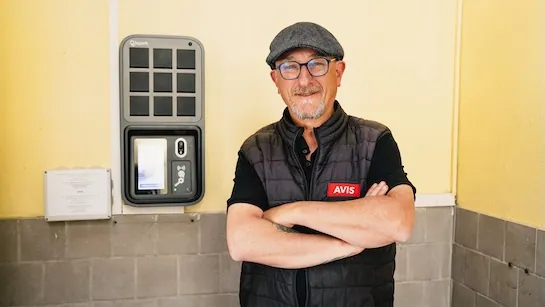
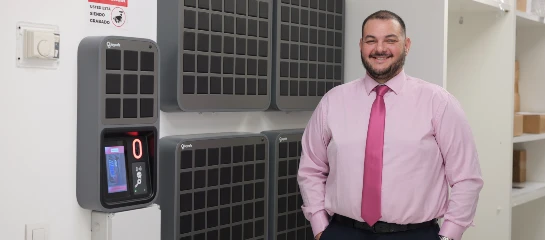
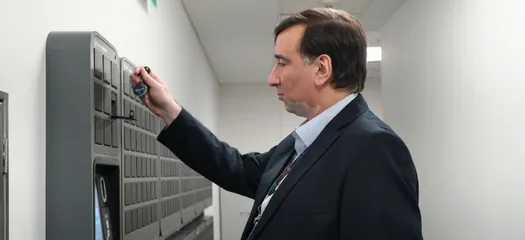
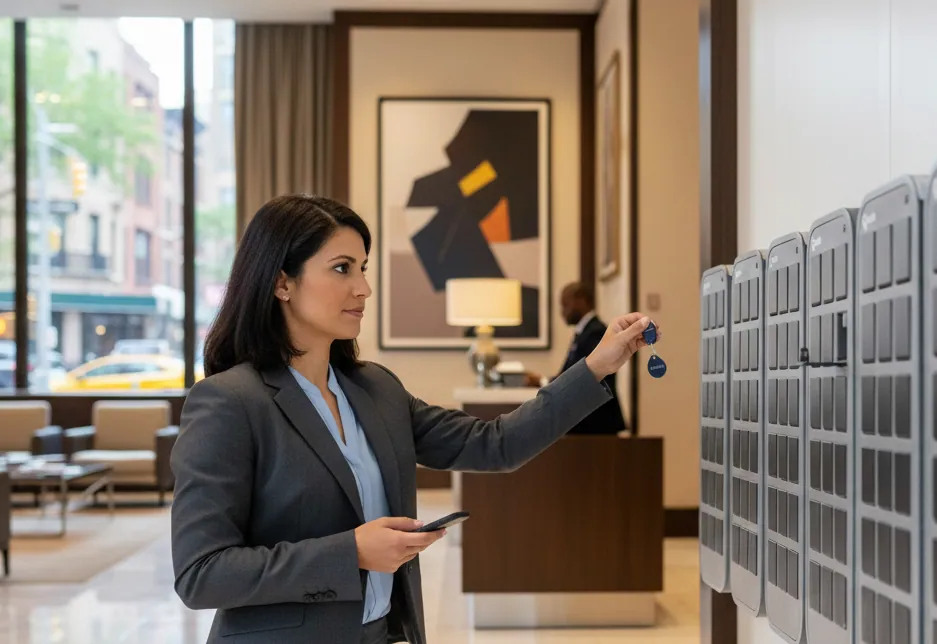
Eine wandmontierte Einheit, die die physischen Schlüssel aufbewahrt, wobei der Zugang pro Person für ein definiertes Zeitfenster gewährt wird.
Gut geeignet für: Portfolios, Gebäude, Objekte mit mehreren Schlüsseln oder Transpondern, überall dort, wo Sie das Schloss nicht ändern können, und überall dort, wo Sie eine Aufzeichnung benötigen.
Scheitert bei: Es benötigt eine Wand, die Sie kontrollieren, Strom und Konnektivität. Es ist auch mehr Infrastruktur, als ein einzelner Eigentümer-Nutzer benötigt.
So treffen Sie Ihre Wahl
Vier Fragen klären es in den meisten Fällen.
Können Sie das Schloss ändern? Wenn die Antwort „Nein“ lautet, sei es aufgrund eines Mietvertrags, eines Eigentümers, einer Denkmalschutzauflage oder einer Gemeinschaftstür, sind Smart Locks für diese Tür – unabhängig von ihren Vorzügen – ausgeschlossen.
Gibt es mehr als einen Gegenstand zu übergeben? Einen Gebäude-Transponder, einen Briefkastenschlüssel, einen Torschlüssel, eine Parkfernbedienung. Smart Locks handhaben eine Tür. Ein Schrank handhabt ein Bündel.
Müssen Sie wissen, wer eingetreten ist? Wenn Streitigkeiten, Versicherungen, Gebäudebeschwerden oder lokale Meldepflichten Teil Ihrer Realität sind, benötigen Sie personenbezogene Berechtigungen und ein Protokoll. Geteilte Codes können beides nicht bieten.
Wie viele Personen, wie oft wechselnd? Zwei stabile Schlüsselhalter sind ein anderes Problem als drei Reinigungsfirmen und eine wechselnde Handwerkerliste.
Wie gute Automatisierung tatsächlich aussieht
Was auch immer Sie wählen, dies sind die Eigenschaften, die ein funktionierendes System von einem trennen, das lediglich "meistens" funktioniert.
Der Zugang gehört einer Person für einen bestimmten Zeitraum. Nicht ein Code, der einer Immobilie zugeordnet ist. Ein Gast hat Zugang für seinen Aufenthalt, eine Reinigungskraft für ein wiederkehrendes Zeitfenster, ein Handwerker für zwei Stunden. Jeder läuft von selbst ab, sodass nichts storniert werden muss.
Zugangsdaten funktionieren ohne App. Ein Code, ein scannbarer QR-Code oder eine Wallet-Pass. Niemand, der von einem verspäteten Flug kommt, lädt Software herunter, und Reinigungsteams, die für mehrere Kunden arbeiten, werden dies ebenfalls nicht tun.
Anweisungen sind in der Sprache des Gastes und spezifisch. Eine Adresse, eine Route von einem benannten Wahrzeichen oder einer Haltestelle.
Es wird automatisch ausgestellt. Zugangsdaten werden bei Bestätigung der Buchung über Ihre bestehende Plattform generiert, anstatt dass sich jemand daran erinnern muss, eine Nachricht zu senden. Airbnb, Guesty, Hostaway und Res:harmonics verbinden sich direkt, mit einer API für alles andere.
Es funktioniert, wenn die Infrastruktur nicht funktioniert. Batteriepufferung und Offline-Betrieb sind keine theoretischen Anforderungen. Stromausfälle, Netzausfälle und Abschaltungen bei Brandgefahr treten auf, und sie treten gleichzeitig mit Ankünften auf.
Es führt eine Aufzeichnung. Benannt, mit Zeitstempel, exportierbar. Sie werden dies aus einem Grund wünschen, den Sie noch nicht bedacht haben.
Es gibt einen dokumentierten Fallback. Was passiert um 23 Uhr, wenn die primäre Methode fehlschlägt, und kennt die Person am anderen Ende des Telefons die Antwort?
Identität, die jetzt Teil der Aufgabe ist
Es lohnt sich, dies separat hervorzuheben, da es sich kürzlich geändert hat.
Mehrere Gerichtsbarkeiten verlangen nun, dass Sie Ihre Gäste identifizieren und melden: Italien innerhalb von 24 Stunden über das Polizeikortal, Spanien innerhalb von 24 Stunden und eine wachsende Zahl von Registrierungssystemen in der gesamten EU gemäß der Verordnung 2024/1028.
Italien ist aufschlussreich, wohin dies führt. Ein Rundschreiben des Innenministeriums vom November 2024 argumentierte, dass Schlüsselkästen die Gästeidentifikation unmöglich machten und drängte auf persönliche Kontrollen. Im Mai 2025 hob das Regionale Verwaltungsgericht von Latium diese Richtlinie auf. Was blieb, ist die zugrunde liegende Verpflichtung: Identifizieren Sie den Gast, was das Gericht als fern und digital durchführbar akzeptierte.
Die Anforderung ist also nicht „treffen Sie den Gast“. Es ist „wissen Sie, wer sie sind“. Ein geteilter Code erfüllt beides nicht, da er keine Ahnung hat, wer ihn benutzt hat. Die Identitätsprüfung zum Zeitpunkt der Schlüsselübergabe tut dies.
Ein praktisches Setup
Für die meisten Betreiber, die mehr als ein paar Immobilien verwalten, sieht die funktionierende Anordnung so aus:
- Ein wandmontierter Schlüsselkasten an einem von Ihnen kontrollierten Ort, in der Nähe der von ihm bedienten Objekte
- Personenbezogene, zeitlich begrenzte Zugangsdaten, die automatisch von Ihrer Buchungsplattform ausgestellt werden
- Identitätsprüfung, wo lokale Vorschriften dies erfordern
- Mehrsprachige Anreiseanweisungen mit einer klaren Adresse
- Ein exportierbares Zugangsprotokoll
- Ein dokumentierter Fallback außerhalb der Geschäftszeiten
Die Kapazität beginnt bei 9 Schlüsselpositionen und wächst durch verkettete Erweiterungsmodule, sodass eine Installation mit dem Portfolio skaliert, anstatt ersetzt werden zu müssen.
Sehen Sie, wie es funktioniert oder sprechen Sie mit unserem Team.
Regulatorische Details spiegeln öffentlich verfügbare Informationen zum Zeitpunkt der Verfassung wider und dienen nur als allgemeine Orientierung. Gästeidentifikation, Meldepflichten und Regeln für Schlüsselaufbewahrungsgeräte unterscheiden sich je nach Gerichtsbarkeit und ändern sich häufig. Bestätigen Sie die aktuellen Anforderungen lokal, bevor Sie sich auf eine hier beschriebene Regelung verlassen.