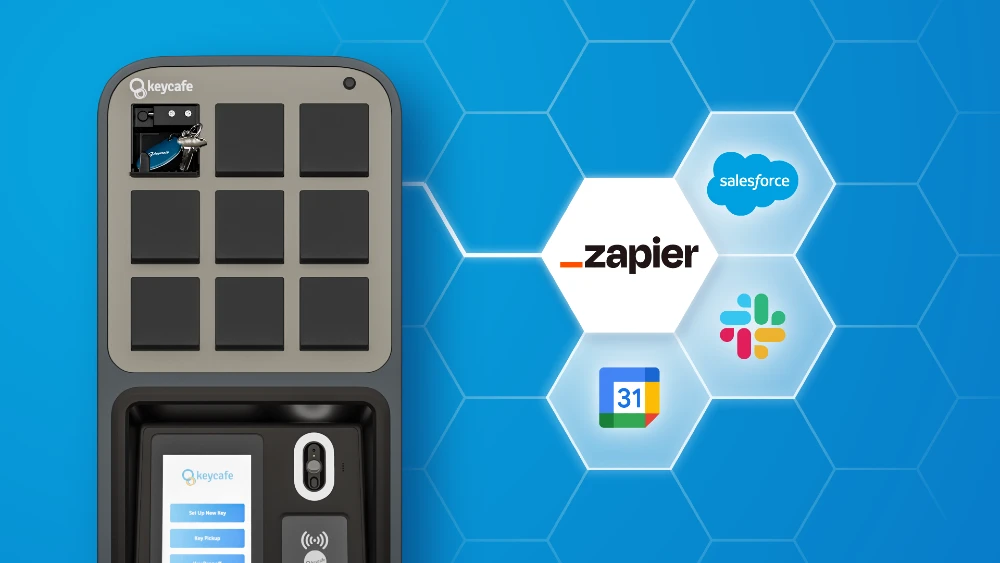

We’re excited to announce our new integration with Zapier, empowering users to automate key access and build custom workflows like never before. This makes it easier to connect your key management system to the rest of your tech stack. Whether you use tools like Slack, Google Sheets, Salesforce, property management software, or any of the 7000+ apps available, Zapier lets you create your own workflows without coding.
What Does the Integration Do?
With the Zapier integration, you can automate repetitive tasks by setting up triggers and actions between your already-used software and Keycafe. Currently, Currently, Keycafe has multiple options available for the Action event:
Create Access to Key
Edit Access to Key
Delete Access to Key
Create a Key
Get Key
Get All Keys
If there’s a trigger or action event you’d like to see added, you can email us at support@keycafe.com.
Example Workflows
Here are a few ideas to help you get started:
Vacation Rental Management: When a new booking is made in your vacation rental software, a corresponding booking is automatically created in Keycafe. If that booking is updated or canceled, the changes are automatically reflected in Keycafe, ensuring real-time accuracy with guest access management.
Google Sheets Integration: Want to keep a centralized record of your keys? When a new row is added to a Google Sheet (perhaps for new properties or new key sets), a key can be automatically created in Keycafe, keeping your digital and physical key inventories perfectly in sync.
Guest Check-ins (Channel Manager or Calendar): When a new booking is confirmed in your channel manager or a new event is added to your Google Calendar for a guest check-in, Zapier can automatically trigger Keycafe to "Create Access to a Key" for the guest, sending them their unique access code.
Property Showings (CRM or Scheduling Tool): If you use a CRM like Salesforce or a dedicated scheduling tool for property showings, a new appointment created within that system could automatically "Create Access to a Key" in Keycafe for the real estate agent or prospective buyer.
Service Appointments (Service Management Software): For maintenance or cleaning services, a new service appointment scheduled in your management software can automatically "Create Access to a Key" for the service provider, ensuring they have access when needed.
Start Creating Zaps!
Ready to design custom workflows and automate repetitive tasks? Learn how it works step-by-step and start building your own Zaps today.