
Programmable Alerts help teams stay on top of key access activity without checking the dashboard all day. You pick the event, the timing, the recipients, and the message. When that event happens, Keycafe sends the alert for you.
Our latest product update makes alerts far more customizable. You now have more alert types, a new webhook delivery option, and more timing choices. Together, these updates expand what you can automate around pickups, drop-offs, and bookings.
New Types of Alerts
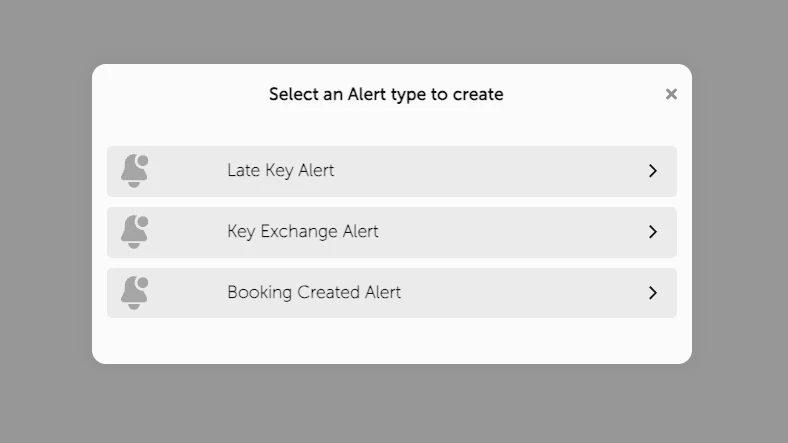
Programmable Alerts now cover more scenarios in the key access journey. In addition to the existing alerts for late key returns, we’ve added two new options:
1. Key Exchange Alerts
You can now trigger a custom alert immediately when a key is picked up and or dropped off. This is useful when you need real-time updates or want to kick off an external workflow the moment the key moves.
With immediate Key Exchange Alerts, teams can react as soon as a key changes hands:
- Security teams get a live record of high-value asset pickups and returns.
- Fleet managers know the moment a certain group of vehicle keys leaves or re-enters the SmartBox.
- Hotel housekeeping gets notified exactly when a guest has checked out and the room is ready for cleaning.
2. Booking Created Alerts
An alert fires when a booking or reservation is created. This is designed for sending a tailored message right after someone books access to a key. Messages can be customized per key or key group, so the email can include details that vary by unit, vehicle, or asset.
Booking Created alerts enable better guest and visitor communication, so you can send information at the moment it matters, right after access is booked:
- Short-term rental hosts send unit-specific check-in steps, SmartBox location, parking notes, or WiFi details based on the exact key booked.
- Rental car agencies send pickup instructions that match the vehicle assigned.
- Equipment rental businesses send safety notes or return instructions tied to the item.
Because alerts can be set per key or key group, the message can stay accurate without manual edits.
Send Alerts via Webhook
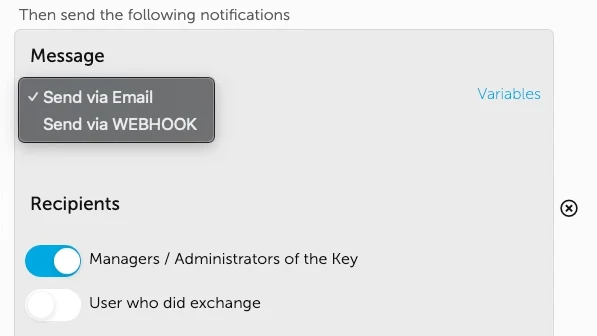
Every Programmable Alert can now be delivered through a webhook, not just SMS or email. A webhook sends event data to a URL you control. From there, you decide what happens next: route the alert into your own system, trigger a Zapier flow, post to Microsoft Teams or Slack, create a support ticket, update a spreadsheet, or anything else your tools allow. This turns Programmable Alerts into a clean event feed you can shape to your operation.
Webhook delivery means you are no longer limited to Keycafe’s email or SMS format:
Route all pickup and drop-off events into your CRM to keep a clean customer timeline.
Trigger a Slack message to a dispatch channel when a key is picked up.
Start a cleaning or maintenance task in your property management software when a guest drops off a room key.
Log key handoffs into a database for compliance reporting.
Keycafe handles the detection and timing. Your systems handle the action.
More Timing Options for Late Key Alerts
For Late Key Alerts, you now have finer timing choices in the 12 to 24 hour window. That gives you better control over reminders and escalations that are meant to happen “later today” or “by tomorrow.”
Toggle Alerts On and Off
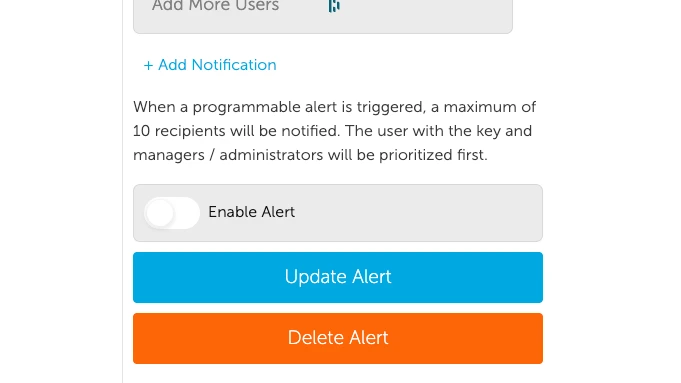
Existing alerts can be enabled or disabled without rebuilding them. That makes it easy to pause alerts for seasonal operations, maintenance windows, or short-term policy changes.
Get Started with Programmable Alerts
Programmable Alerts are available to all customers (Lite users are limited to a maximum of 3 alerts), and can be created and edited on the Keycafe desktop app. Choose the alert type, pick the key or key group, set timing, enter your message, and select delivery method. Recipients can include admins, managers, users, or other people in your organization.
Visit our Help Centre for full instructions on how to create an alert today!