
Taisyklės pasikeitė 2024 metais, o dauguma kelionių patarimų dar nepasivijo. Tad pradėkite nuo to, kas iš tiesų leidžiama, nes tai pasakys, ko ieškote.
Ką dabar sako Airbnb taisyklės
Visos vidaus kameros yra uždraustos. Nuo 2024 m. balandžio 30 d. Airbnb draudžia apsaugos kameras ir įrašymo įrenginius, kurie stebi bet kurią namų vidaus dalį. Tai apima koridorius, miegamuosius, vonios kambarius, svetaines ir svečių namelius, ir tai taip pat taikoma bendroms privačių kambarių nuomos erdvėms.
Draudimas yra neįprastai absoliutus, ir tai yra dalis, kurią žmonės praleidžia: jis galioja net jei įrenginys yra atskleistas, aiškiai matomas, išjungtas ar atjungtas nuo elektros. Prieš pakeitimą, kameros buvo leidžiamos bendrose erdvėse, jei jos buvo atskleistos ir matomos. Šios išimties nebėra.
Slaptos kameros visada buvo draudžiamos. Tai niekada nebuvo leidžiama ir nepasikeitė.
Kas vis dar leidžiama:
- Lauko kameros, įskaitant durų skambučio kameras, su sąlyga, kad šeimininkas jas ir jų bendrą vietą atskleidžia skelbime prieš jums rezervuojant.
- Triukšmo decibelų monitoriai, su tuo pačiu atskleidimo reikalavimu.
Ko lauko kameros negali daryti:
- Stebėti vidaus erdves pro langus ar panašias angas.
- Aprėpti lauko zonas, kuriose tikimasi didesnio privatumo, pvz., uždaras lauko dušo kabinas, kubilus ir pirtis.
Viena siaura išimtis. Tam tikruose namuose Japonijoje, turinčiuose viešbučio verslo licenciją, šeimininkams gali būti teisiškai privaloma turėti kamerą, stebinčią tik vidaus įėjimą. Ji turi būti atskleista, negali aprėpti nieko, kas yra už įėjimo zonos, ir negali įrašinėti garso.
Airbnb plačiai apibrėžia įrašymo įrenginį: tai bet kas, kas įrašo ar perduoda vaizdo, nuotraukų ar garso informaciją, įskaitant kūdikių monitorius ir durų skambučio kameras.
Oficialus šaltinis: Airbnb Pagalbos centras, Apsaugos kamerų ir kitų įrenginių namuose apribojimai
Prieš rezervuojant
Dvi minutės čia sutaupys likusią šio straipsnio dalį.
Patikrinkite skelbimo atskleidimą. Skiltyje „Svečių saugumas“ yra skyrius, skirtas apsaugos kameroms ir įrašymo įrenginiams. Šeimininkai privalo ten deklaruoti lauko kameras ir triukšmo monitorius. Perskaitykite tai.
Atidžiai peržiūrėkite nuotraukas. Skelbimo nuotraukose dažnai matosi daugiau, nei šeimininkas ketino. Ieškokite mažų tamsių apskritimų, nepaaiškinamų dėžučių lentynose ir įrenginių, kurie netinka kambariui.
Paklauskite šeimininko tiesiogiai per Airbnb žinučių sistemą. Dvi priežastys. Pirma, jūs gausite atsakymą. Antra, atsakymas bus užfiksuotas platformoje, o tai nepaprastai svarbu, jei vėliau kils ginčas. Niekada neperkelkite šio pokalbio į WhatsApp ar el. paštą.
Protingas klausimas: ar nuosavybėje yra kokių nors kamerų ar įrašymo įrenginių, viduje ar lauke, ir kurioje vietoje jie yra?
Kaip patikrinti nuosavybę
Tai padarykite atvykę, prieš išsikraustydami. Tai užtruks apie dešimt minučių ir tai nėra paranoja; tai tas pats instinktas, kaip ir patikrinimas, kur yra avariniam išėjimas.
Apžiūrėkite kambarį ir pagalvokite apie matymo linijas
Slaptos kameros turi matyti ką nors. Atsistokite ten, kur miegotumėte, nusirengtumėte ar praustumėtės po dušu, ir paklauskite savęs, kas turi tiesioginį matymo lauką į jus. Tai dramatiškai susiaurina paiešką. Jūs neieškote visoje nuosavybėje; ieškote keliose pozicijose, kurios iš tikrųjų būtų naudingos kažkam.
Pažiūrėkite į daiktus, kurių ten neturėtų būti
Įrenginiai slepiami daiktuose, kurie galbūt priklauso kambariui, bet nebūtinai turi būti toje konkrečioje vietoje:
- Dūmų ir šilumos detektoriai, ypač keistai išdėstyti arba dubliuoti.
- USB įkrovikliai, kištukų adapteriai ir maitinimo blokeliai, palikti įjungti.
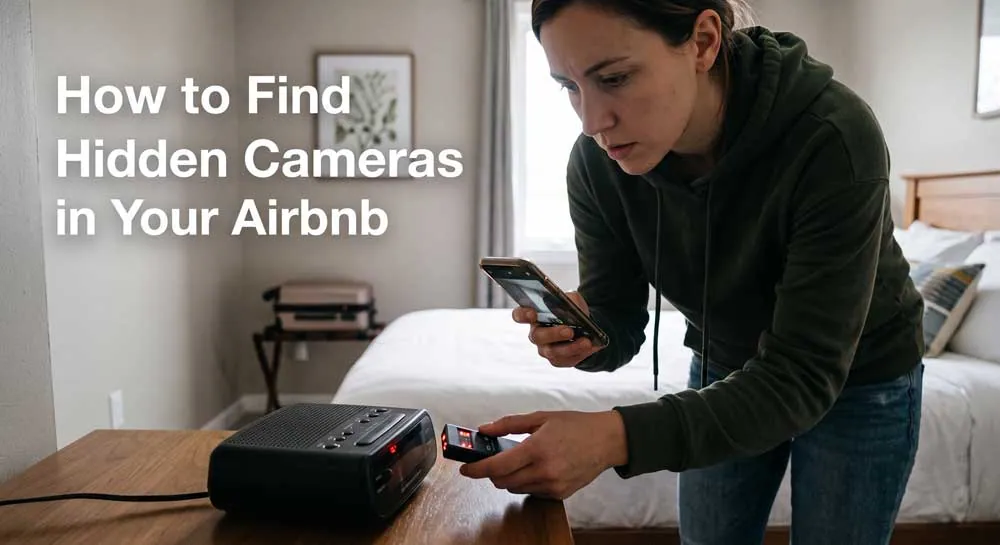
- Radijo žadintuvai ir skaitmeniniai laikrodžiai, nukreipti į lovą.
- Oro valytuvai, garsiakalbiai ir Wi-Fi plėtikliai.
- Paveikslų rėmeliai, veidrodžiai, dirbtiniai augalai, servetėlių dėžutės.
- Bet kas, turintis mažą skylutę, siūlę ar tamsų tašką.
- Bet kas, nukreipta į lovą ar dušą.
Įtartinas ženklas dažniausiai yra išdėstymas, o ne pats objektas. Dūmų detektorius ant lubų yra normalu. Dūmų detektorius ant sienos krūtinės aukštyje, nukreiptas į lovą, nėra.
Išjunkite šviesas
Visiškai tamsiame kambaryje ieškokite mažų, pastovių šviesos diodų. Daugelis kamerų turi indikatorių, o kai kurie infraraudonųjų spindulių naktinio matymo masyvai skleidžia blankų, silpną raudoną švytėjimą, kuris matomas tamsoje ir nematomas dienos šviesoje.
Naudokite savo telefono kamerą
Atidarykite fotoaparato programėlę ir lėtai apžiūrėkite kambarį, ypač įtartinus objektus. Kai kurie telefono jutikliai fiksuoja infraraudonųjų spindulių apšvietimą, kurio jūsų akys nemato, parodydami jį kaip blyškų purpurinį ar baltą tašką. Tai nėra patikima visuose telefonuose, ir neigiamas rezultatas nieko neįrodo, bet pabandyti nieko nekainuoja.
Naudokite žibintuvėlį
Nukreipkite ryškią šviesą kampu per veidrodžius, ventiliacijos angas, paveikslų rėmelius ir bet kokius blizgius paviršius. Kameros lęšis atspindi šviesą savitai, kaip mažas ryškus taškas, kuris išlieka fiksuotas, kai judate.
Patikrinkite veidrodžius
Priglauskite delno nugarėlę arba piršto galiuką prie stiklo. Ant įprasto veidrodžio tarp jūsų piršto ir jo atspindžio matomas tarpas. Ant dvipusio stiklo jie susiliečia. Tai yra grubus, o ne įrodantis testas, bet jis greitas.
Pažiūrėkite į Wi-Fi tinklą
Jei matote prie tinklo prijungtus įrenginius, neatpažįstami įrašai verti dėmesio. Tai turi realių apribojimų: daugelis kamerų įrašo duomenis vietoje į kortelę, veikia savo tinkle arba naudoja mobiliojo ryšio duomenis, todėl nebuvimas nėra įrodymas.
Specializuoti detektoriai
RF detektoriai ir lęšių ieškikliai egzistuoja ir yra nebrangūs. Jie yra kruopštesni nei aukščiau aprašyti metodai ir taip pat sukelia klaidingų teigiamų rezultatų ant įprastos elektronikos. Naudinga, jei nuolat keliaujate; daugumai žmonių nereikalinga.
Jei ką nors radote
Elkitės atsargiai, nes tai, kaip elgsitės, paveiks tiek jūsų saugumą, tiek bet kokią vėlesnę bylą.
1. Nelieskite jo, neatjunkite nuo elektros ar neišardykite. Tai gali būti įrodymas, o manipuliavimas gali susilpninti baudžiamąją bylą.
2. Nufotografuokite jį vietoje. Plačiu kadru parodykite kambarį ir jo padėtį, tada darykite stambius planus. Užfiksuokite, į ką jis nukreiptas.
3. Nesikreipkite į šeimininką. Esate vieni nuosavybėje, kurią jie kontroliuoja ir prie kurios gali turėti raktus. Tai yra saugumo, o ne klientų aptarnavimo klausimas.
4. Išeikite, jei galite tai padaryti saugiai. Pasiimkite savo daiktus.
5. Kreipkitės į vietos policiją. Daugumoje jurisdikcijų žmonių įrašinėjimas privačioje erdvėje be sutikimo yra baudžiamasis nusikaltimas, dažnai traktuojamas kaip vojerizmas. Tai yra svarbiausias žingsnis, kurį svečiai dažniausiai praleidžia.
Verta žinoti: CNN tyrimas, paskelbtas 2024 m. liepą, pranešė, kad Airbnb įprastai nepraneša teisėsaugai, kai svečiai praneša apie paslėptas kameras. Tas pats reportažas citavo Airbnb tyrimų skyriaus darbuotojo parodymus, kad bendrovė nuo 2013 iki 2023 m. sugeneravo apie 35 000 klientų aptarnavimo užklausų, susijusių su stebėjimo įrenginiais, nors Airbnb atsisakė pasakyti, kiek iš jų buvo unikalūs skundai, o ne esamų bylų tęsiniai.
Praktinė išvada yra aiški: pranešti apie tai Airbnb nėra tas pats, kas pranešti policijai. Padarykite abu, ir pirmiausia kreipkitės į policiją.
6. Praneškite apie tai Airbnb per platformą, raštu, su savo nuotraukomis. Viską laikykite Airbnb žinučių sistemoje, kad būtų įrašas.
7. Pasidarykite visko kopijas, įskaitant originalų skelbimo puslapį ir visas žinutes apie kameras.
Realistinė pastaba apie vykdymą
Taisyklės yra aiškios, bet jų vykdymas – ne.
Airbnb vidaus kamerų draudimas beveik visiškai priklauso nuo to, ar svečiai ras ir praneš apie pažeidimus. Niekas netikrina nuosavybių. Lauko kamerų atskleidimo reikalavimas taip pat yra nepatikrintas: šeimininkas gali pareikšti, kad kamera apima priekinę verandą, o tai, ar ji taip pat fiksuoja kubilą ar miegamojo langą, žino tik ten esantis svečias.
Tai nėra priežastis jaudintis dėl kiekvienos nuomos. Vidaus kameros atrodo išties retos, ir daugumoje skelbimų jų niekada nebuvo. Tai yra priežastis skirti dešimt minučių patikrinimui, o ne daryti prielaidą, kad politika atlieka darbą už jus.
Šeimininkams, skaitantiems tai
Jei turite nuomojamą būstą, iš dabartinių taisyklių išplaukia trys dalykai.
Pašalinkite viską, kas įrašinėja viduje. Atskleista, matoma, išjungta ir atjungta nuo elektros yra visiškai nesvarbu. Draudimas yra absoliutus.
Tiksliai atskleiskite savo lauko kameras, įskaitant bendrą vietą, ir įsitikinkite, kad nė viena iš jų negali matyti pro langą ar aprėpti kubilo, pirties ar uždaros dušo kabinos.
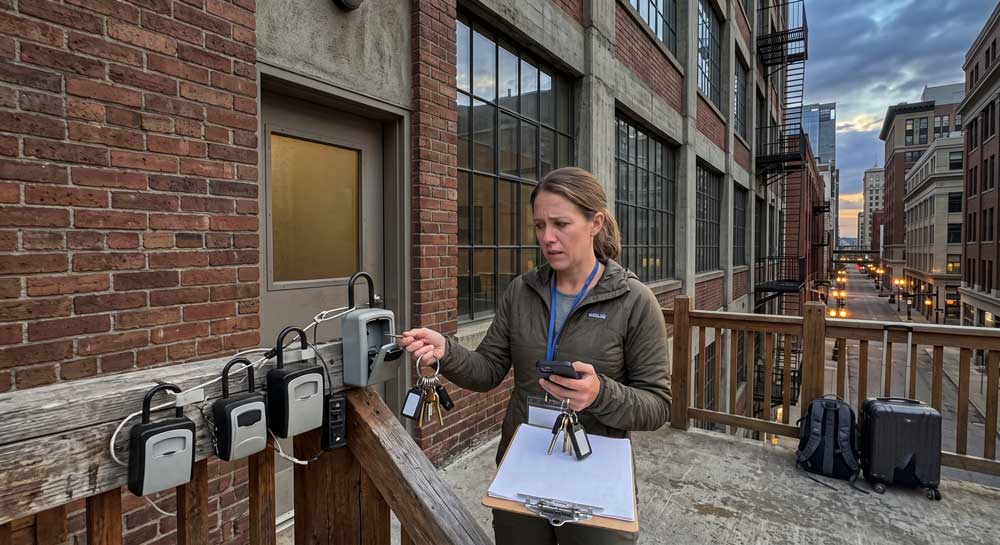
Išspręskite pagrindinę problemą kitaip. Dauguma šeimininkų, kurie norėjo vidaus kamerų, norėjo žinoti, kas yra nuosavybėje ir kiek jų yra. Tai yra prieigos kontrolės, o ne stebėjimo klausimas, ir jis turi atsakymą, kuris nereikalauja filmuoti jūsų svečių: kontroliuokite, kas turi prieigą, kokiam laikui, ir saugokite kiekvieno įėjimo įrašą.
Tai mes ir kuriame. Štai kaip tai veikia.
Šis straipsnis yra bendro pobūdžio informacija, o ne teisinis patarimas. Airbnb politika yra pačios įmonės sąlygos ir gali keistis be įspėjimo. Įrašymo įstatymai privačiose erdvėse labai skiriasi priklausomai nuo šalies ir valstijos. Jei manote, kad buvote įrašytas be sutikimo, kreipkitės į vietos teisėsaugos institucijas ir apsvarstykite galimybę pasikonsultuoti su teisininku toje jurisdikcijoje. Prieš pasikliaudami bet kokia santrauka, įskaitant šią, patikrinkite dabartinę Airbnb kamerų politiką jų Pagalbos centre.