
Kodėl verta diegti raktų valdymo sistemą?
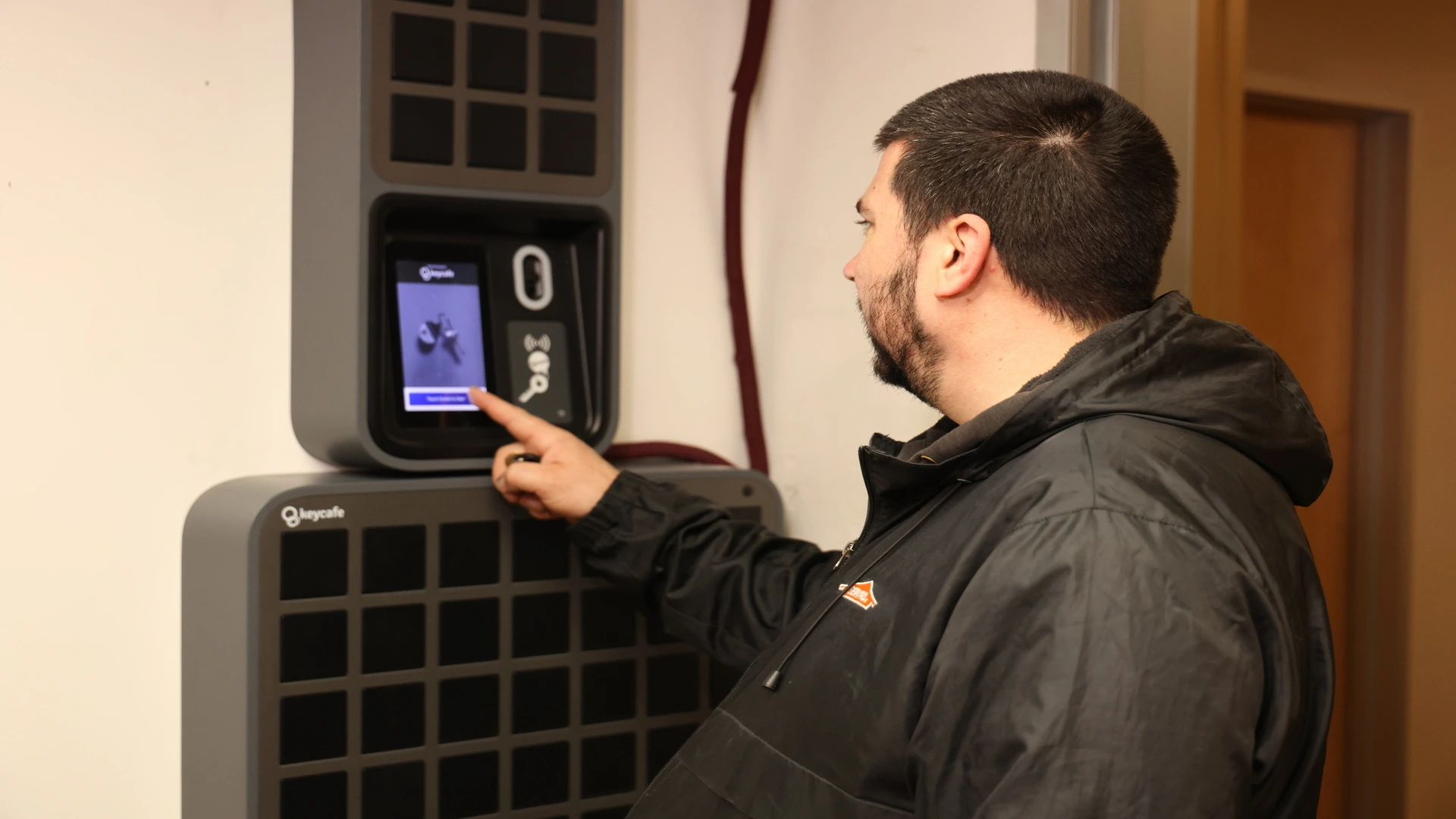
Raktų valdymo sistema (KMS) yra saugios aparatinės įrangos (pvz., išmaniųjų raktų spintelių ar seifų) ir programinės įrangos, kuri registruoja ir kontroliuoja raktų prieigą, derinys.
Vyriausybiniams ir komerciniams automobilių parkams gerai struktūrizuota raktų sistema centralizuoja valdymą, padeda išvengti praradimo ar netinkamo naudojimo ir palaiko kasdienes operacijas su mažesne trintimi. Ji ypač vertinga aplinkoje, kurioje naudojamos bendros transporto priemonės, kintantys vairuotojai ar aukšti atskaitomybės standartai.
Šis vadovas pateikia žingsnis po žingsnio požiūrį į raktų valdymo sistemos vertinimą, pasirinkimą ir diegimą. Vadovaudamiesi šiais žingsniais, galite pagerinti atskaitomybę ir efektyvumą savo automobilių parko operacijose.
Audituokite esamą raktų valdymą ir nustatykite problemas
Sudarykite raktų ir vartotojų sąrašą – Kiek yra transporto priemonių raktų (įskaitant atsarginius) ir kam jų reikia?
Registruokite naujausius incidentus – Atkreipkite dėmesį į pamestus raktus, neteisėtą naudojimą ar perdavimo vėlavimus. Įvertinkite tiesiogines išlaidas (rakto pakabukas ≈ 250–500 USD) plius prastovas.
Nustatykite aiškius tikslus – Pvz.: „Nė vieno pamesto rakto kitais metais“ arba „Sumažinti ryto raktų perdavimo laiką nuo 10 min iki 2 min“. Šie tikslai padeda pasirinkti sprendimą ir palengvina ROI matavimą vėliau.
Apibrėžkite funkcinius reikalavimus
Talpa: raktų skaičius dabar ir prognozė penkeriems metams.
Vartotojų skaičius & pamainos: Prieiga 24 valandas per parą, 7 dienas per savaitę? Keli skyriai?
Saugumo lygis: PIN, RFID kortelės ar biometrika? Atitikties užtikrinimui reikalingas audito žurnalo detalumas.
IT suderinamumas: „debesyje“ ar vietoje, tinklo reikalavimai, kibernetinio saugumo standartai.
Integracijos: automobilių parko priežiūros ar dispečerinės sistemos, LDAP/Active Directory vartotojų sinchronizavimui. Ankstyvas šių specifikacijų fiksavimas apsaugo nuo nepakankamo ar perteklinio pirkimo.
Įvertinkite tiekėjus ir sudarykite trumpąjį sprendimų sąrašą
Ieškokite:
Modulinių spintelių, kurias lengva išplėsti plečiantis jūsų automobilių parkui
Debesyje veikiančių prietaisų skydelių su realaus laiko raktų būsena ir momentiniais įspėjimais
Prieigos kontrolė pagal vaidmenis ir automatinis registravimas visai atskaitomybei užtikrinti
Sėkmės istorijos komerciniuose ir vyriausybiniuose automobilių parkuose
Greitas palaikymas ir galimybės diegti keliose vietose
Patarimas: Paprašykite demonstracijos ir aiškaus bendrų išlaidų – įskaitant techninę, programinę įrangą ir palaikymą – išskaidymo. Palyginkite tuos skaičius tiesiogiai su išlaidomis, kurias užfiksavote dėl prastovų, pamestų raktų ir laiko, praleisto rankiniu būdu tvarkant prieigą.
Sukurkite verslo pagrindimą ir užsitikrinkite biudžetą
Įvertinkite sutaupytas lėšas: Sudėkite metines pamestų raktų išlaidas + darbuotojų laiką, skirtą raktų ieškojimui + rizikos sumažinimą. Net trijų pamestų raktų pakabukų (≈ 1 200 USD) prevencija ir kelių darbo valandų atgavimas per savaitę gali padengti prenumeratos mokesčius.
Parodykite saugumo pranašumus: Pabrėžkite atsakomybės sumažinimą: kiekvienas išdavimas yra registruojamas; neautorizuoti bandymai blokuojami ir pranešami.
Anksti įtraukite suinteresuotąsias šalis: Automobilių parko vadovybę, IT, objektų ir, jei taikoma, profesinių sąjungų atstovus.
Planuokite diegimą & bandomąjį projektą
Pasirinkite bandomąją vietą: Vienas skyrius arba aikštelė
Paruoškite vietą: Siena, elektra, tinklas.
Pažymėkite raktus & importuokite vartotojus į programinę įrangą prieš paleidimą
Vykdykite bandomąjį projektą 30–45 dienas: Surinkite vartotojų atsiliepimus, pakoreguokite leidimus
Atnaujinkite politiką & apmokykite vartotojus
Politikos akcentai: Kiekvienas raktas turi būti įregistruotas/išregistruotas per KMS; nesidalinkite PIN kodais; pradelsti raktai sukelia įspėjimus.
Trumpas mokymas: 10 minučių praktinė sesija; greitos pradžios kortelė pakabinta prie spintelės.
Čempionai: Bandomojo projekto vartotojai padeda apmokyti kolegas viso diegimo metu.
Aiškiai apibrėžta politika + greitas mokymas = didesnis atitikimas ir greitesnė ROI.
Paleiskite ir stebėkite
Švelnus paleidimas savaitei; senas spinteles palikite užrakintas kaip atsarginę kopiją.
Tiesioginė prietaisų skydelis – Stebėkite vėluojančius raktus, neįprastus prieigos modelius.
Koreguokite realiuoju laiku – Pagal poreikį koreguokite PIN atstatymus arba vaidmenų leidimus.
Per kelias dienas vairuotojai nustoja klausti „Kas turi sunkvežimio raktus?“ – jie jau žino.
Įvertinkite rezultatus ir apskaičiuokite ROI
Metrika | Prieš KMS | Po 3 mėnesių | Pagerėjimas |
|---|---|---|---|
Pamestų raktų incidentai | 6 / metus | 0 | -100% |
Vid. raktų perdavimo laikas | 10 min/pamainai | 2 min | -80% |
Admin. valandos raktams | 5 val/savaitę | 1 val | -80% |
Apsk. metinės santaupos* | – | $6,500 | – |
*Pavyzdiniai duomenys iš vidutinio dydžio savivaldybės automobilių parko, naudojančio Keycafe spinteles (20 transporto priemonių). Sutaupytos lėšos apima išvengtas raktų pakeitimo išlaidas (3 tūkst. USD), atgautą administracinį darbą (2 tūkst. USD) ir sumažintą prastovų vertę (~1,5 tūkst. USD).
Sistema atsipirko per < 12 mėnesių ir toliau generuoja santaupas.
Išplėskite ir integruokite
Pridėkite spintelių kituose skyriuose ar papildomose aikštelėse.
Integruokite su techninės priežiūros programine įranga: automatiškai blokuokite raktus transporto priemonėms, kurios yra remontuojamos.
Naudokite ataskaitas, kad nustatytumėte nepakankamai naudojamą turtą arba suplanuotumėte pakeitimus.
Pasiruošę atnaujinti savo raktų sistemą?
Raktų valdymo sistema įprastą galvos skausmą paverčia supaprastintu, audituojamu procesu – atlaisvina darbuotojų laiką ir apsaugo viešąjį turtą. Tinkamai įdiegta, ji greitai atsipirks, nes išvengiama raktų praradimo, sumažinamos prastovos ir užtikrinamas griežtesnis saugumas.
👉 Sužinokite, kaip Keycafe teikia saugias raktų spinteles, centralizuotą prieigos kontrolę ir išmatuojamą ROI komerciniams ir vyriausybiniams automobilių parkams