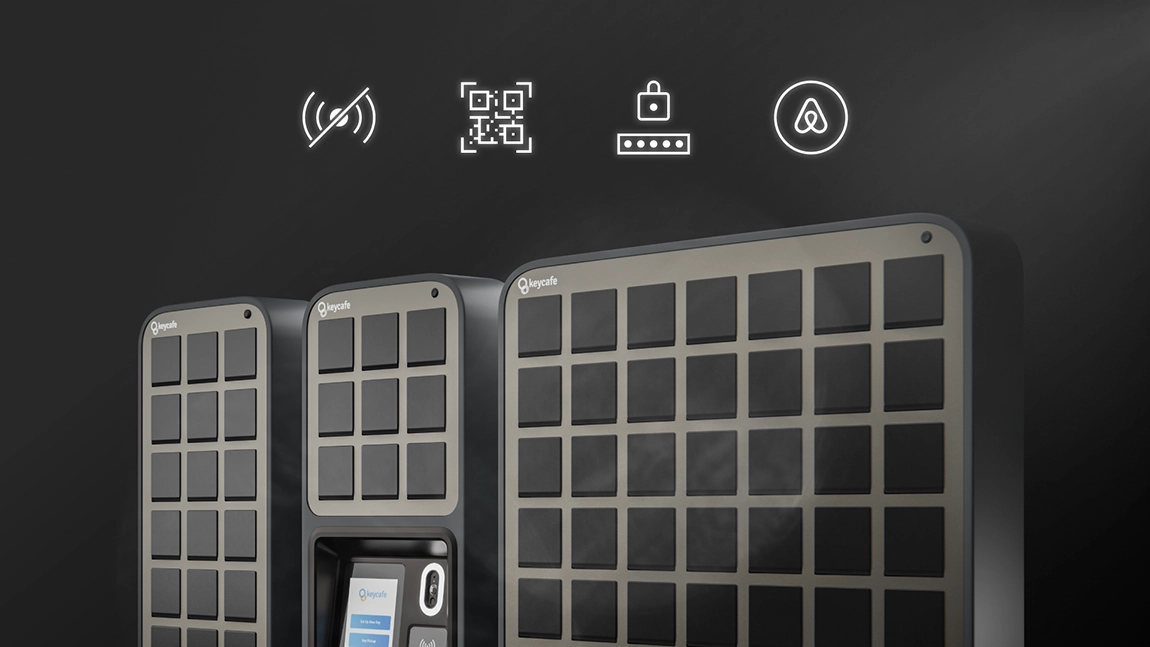

Nuolat ieškome būdų, kaip padaryti jūsų raktų valdymo patirtį sklandesnę ir efektyvesnę, todėl pastaruosius kelis mėnesius intensyviai dirbome prie svarbių funkcijų. Mūsų naujausi atnaujinimai pristato keturis naujus įrankius, skirtus patogumui ir saugumui padidinti. Štai kas naujo:
Raktų mainai neprisijungus
Keycafe sistema remiasi debesies ryšiu, kad palaikytų realaus laiko informaciją, todėl programinėje įrangoje atlikti pakeitimai akimirksniu atsispindi SmartBox įrenginyje ir atvirkščiai. Anksčiau tai reiškė, kad interneto trikdžių ar ryšio problemų metu neprisijungus veikiantys kodai buvo vienintelė praktiška galimybė pasiekti raktus.
Su mūsų nauja Raktų mainų neprisijungus funkcija, raktus galima pasiimti ir palikti įprastai, net esant prastam arba visai nesant interneto ryšio. Neprisijungus atlikti raktų mainai bus automatiškai sinchronizuoti su debesimi, kai ryšys bus atkurtas. Tai užtikrina, kad vartotojai gali pasiimti raktus net ir be tinklo ryšio.
Raktų mainai neprisijungus dabar pasiekiama visuose MS5 ir MS4 SmartBox įrenginiuose – jo aktyvavimui nereikia jokių veiksmų.
Skaitykite daugiau apie raktų mainus neprisijungus
QR kodo vartotojo autentifikavimas
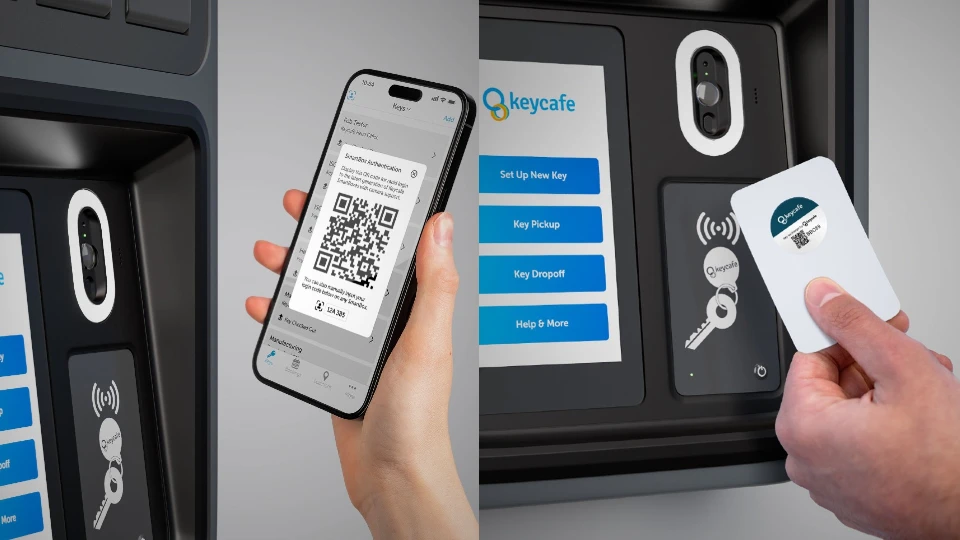
QR kodai dabar gali būti naudojami kaip vartotojo autentifikavimo forma MS5 SmartBox įrenginiuose. Pilni vartotojai gali rasti savo asmeninį QR kodą viršutiniame kairiajame Keycafe mobiliosios programėlės kampe. Tiesiog palieskite piktogramą, kad pamatytumėte savo unikalų kodą, taip pat savo Global SmartBox kodą, kuris gali būti naudojamas visose organizacijose, kuriose turite prieigą prie raktų.
Vienkartiniuose užsakymuose dabar taip pat bus QR kodas el. laiške arba SMS žinutėje, kuris gali būti naudojamas vietoj užsakymo kodo.
Ši funkcija suteikia greitą ir lengvą prieigą prie raktų, nuskaitant jūsų kodą MS5 SmartBox kameroje, pridedant papildomą saugumo ir patogumo lygį.
Sužinokite, kaip pasiimti ir palikti raktą naudojant QR kodus.
Numatytasis autentifikavimo metodas
Vietovės dabar turi galimybę nustatyti numatytąjį autentifikavimo režimą SmartBox įrenginiams, ar tai būtų PIN kodas, QR kodas, ar vartotojo ženklelis. Šis nustatymas keičia tik ekraną su instrukcijomis, kuris atsiranda SmartBox įrenginyje vartotojo autentifikavimo metu – jis netrukdo naudoti jokio metodo.
Skaičių klaviatūros ekranas visada pasiekiamas, nepriklausomai nuo to, kuris ekranas rodomas.
Sužinokite, kaip pakeisti šį nustatymą savo vietovėms.
Airbnb integracijos bendrojo šeimininko palaikymas
Mūsų Airbnb integracija dabar apima bendrojo šeimininko paskyrų palaikymą, supaprastinant raktų valdymą bendrojo apgyvendinimo situacijoms. Bendrieji šeimininkai dabar gali naudoti integraciją taip pat, kaip ir įprastas šeimininkas, jei tik jie turi Visos prieigos arba Kalendoriaus ir pranešimų prieigos leidimą.